PlainInspect
Hover any text to see its font, size, weight and colors. See every font and color a page uses. No tracking.
Add PlainInspect to Chrome — free Add PlainInspect to Firefox — free
What it does
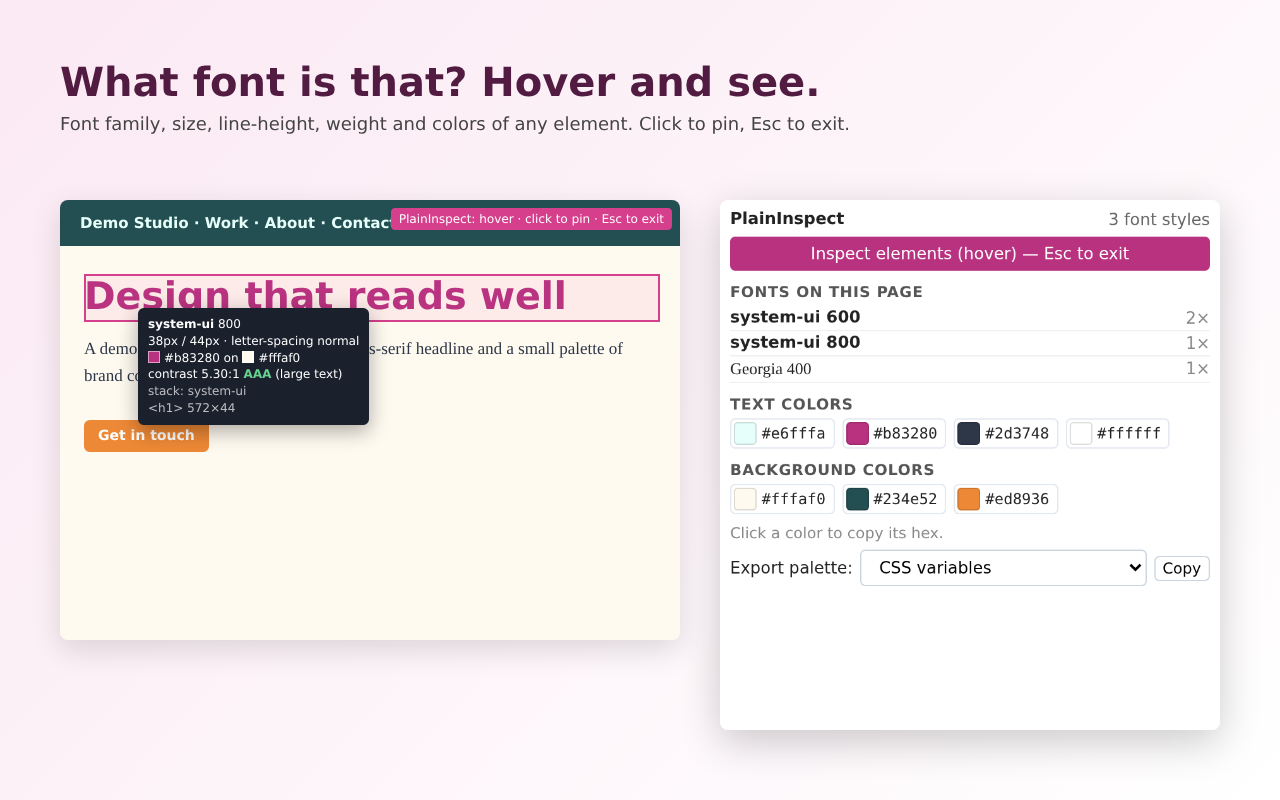
- Inspect mode: hover any element to see font family, size / line-height, weight, letter-spacing, text color and the background it sits on, plus the full font stack
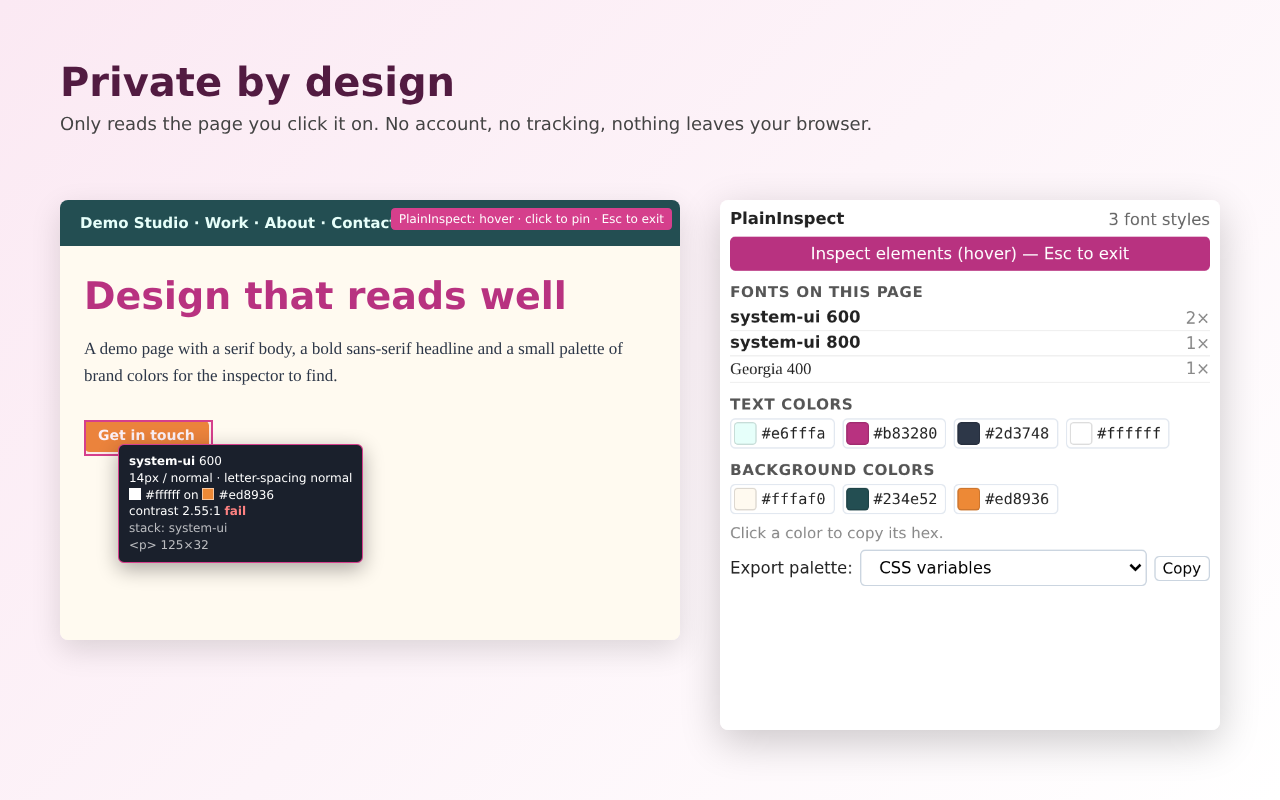
- WCAG contrast ratio with AA / AAA pass-fail (large-text aware) for every element you hover; click to pin, Esc to exit
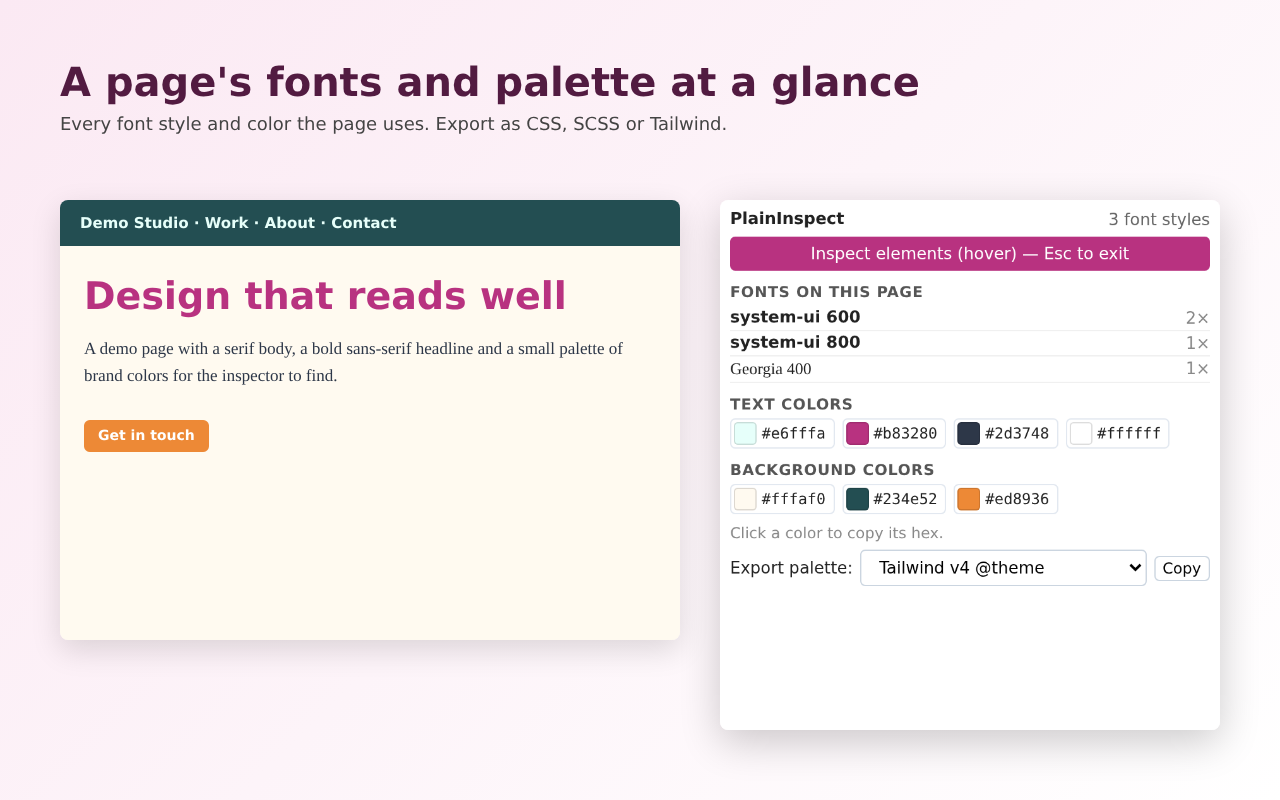
- Page summary: every font style the page uses (with counts) and its text and background color palettes
- Click any color to copy its hex code
- Export the whole palette + fonts as CSS variables, SCSS, Tailwind (v4 @theme or v3 config) or JSON
Price
Free, with no account.
Privacy
No analytics, no ads, no network requests. Permissions: activeTab and scripting only. Site privacy policy.
Screenshots
PlainInspect is built with AI assistance and maintained by an independent developer. It is open source (MIT). Try the related free web tool: Color palette to CSS variables / Tailwind. Guide: How to get the color palette of any website. Guide: How to find out what font a website uses. Guide: ValueError: invalid literal for int() with base 16 (tested fix). Guide: PIL DecompressionBombError: Image size exceeds limit (tested). Guide: PIL UnidentifiedImageError: cannot identify image file (tested).
Frequently asked questions
Is PlainInspect a WhatFont alternative?
Yes. Like WhatFont it shows the font of any text you hover. It also shows colors, the WCAG contrast ratio and a page-wide summary of fonts and colors. (WhatFont had not been updated since March 2024 at the time of our research.)
Can it replace a color picker like ColorZilla for page colors?
For colors used in a page's CSS, yes: the page summary lists text and background colors and you can click any swatch to copy its hex. It does not pick colors from inside images.
Can I export a site's colors to Tailwind?
Yes. Export the palette and fonts as a Tailwind v4 @theme block or a v3 config, or as CSS variables, SCSS or JSON.
Does it check contrast?
Yes. Each hovered element shows its contrast ratio against its effective background with AA / AAA pass-fail.
Is there a web version?
The free color palette to CSS variables / Tailwind converter on this site turns a list of hex colors into the same export formats, and the free color contrast checker computes the same WCAG ratio for any two colors you enter.